
What Is Jev? TypeSafe’s New AI Model Explained for Excel Users
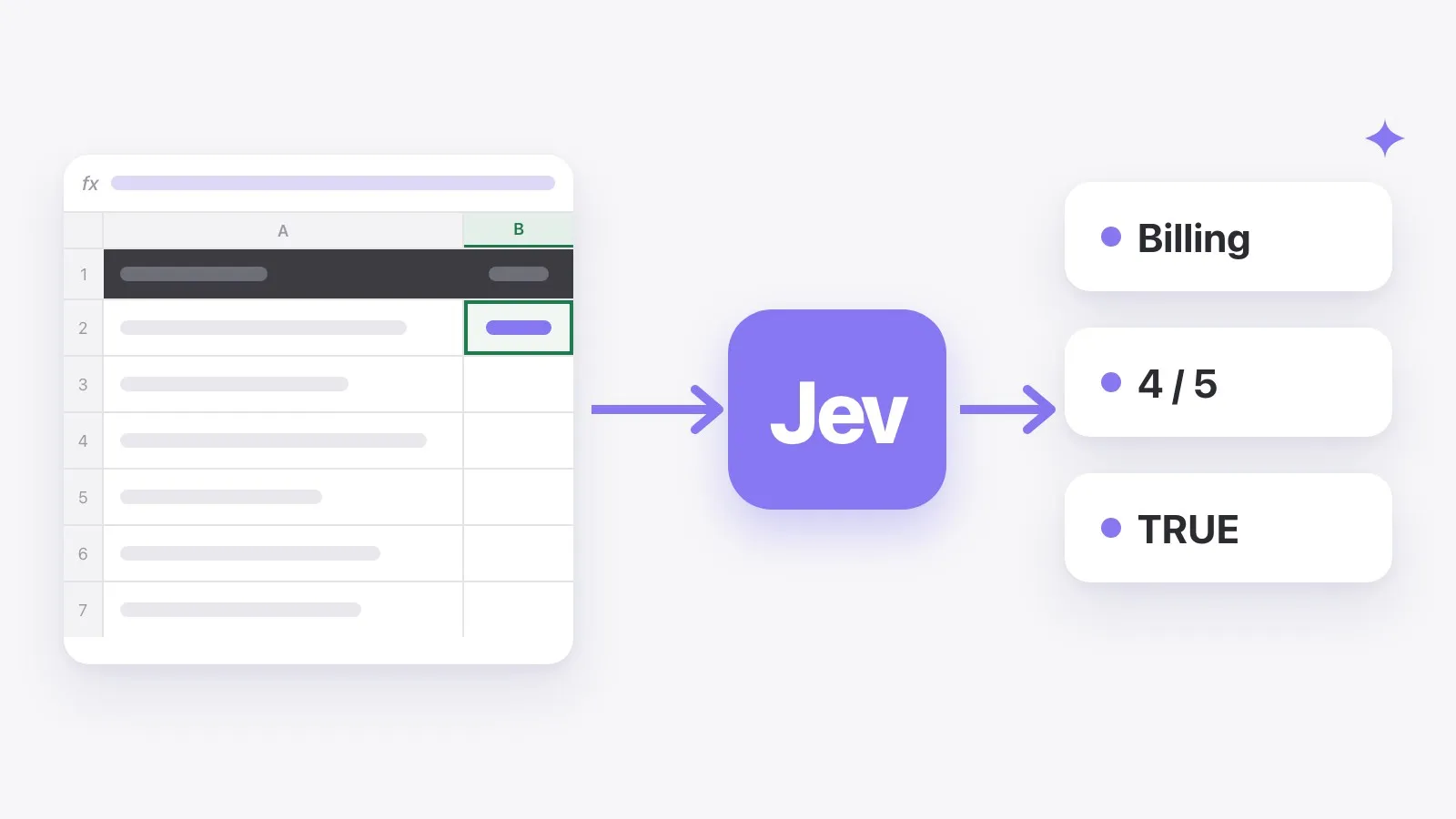
On September 15, 2026, TypeSafe AI released Jev in early access, and developers picked it up fast. Jev isn’t another chatbot. It doesn’t write text at all. It makes decisions, and it’s built to make them quickly and cheaply.
That makes it a surprisingly good fit for spreadsheets, where most AI work is really one small decision repeated thousands of times. Which category does this row belong to? Is this review positive? Does this ticket need a reply today? Here’s what Jev is, how it differs from GPT or Claude, and what it means for Excel.
What is Jev?
Jev is the first model from TypeSafe AI, a lab founded by Diogo Almeida, a former OpenAI researcher. TypeSafe calls it a “System One” model, a nod to Daniel Kahneman’s two kinds of thinking: fast, automatic judgement (System 1) and slow, deliberate reasoning (System 2).
Chat models like GPT and Claude are built for System 2 work: writing, explaining and reasoning step by step. Jev is built for System 1, the quick call you’d make at a glance. TypeSafe describes it as “unstructured state in, typed probabilistic decisions out”.
How it works
You give the model some input, such as a support ticket, a product name or a row of data, plus a question. Instead of a paragraph of text, it returns a typed answer:
- A choice from a list of options you define, for example Billing, Bug or Account
- A score on a scale
- A yes or no
- A probability with each answer, showing how confident it is
Because the answer is always one of the types you asked for, the model can’t come back with a label you didn’t offer or a sentence you have to clean up. TypeSafe says type errors are impossible by design.
How fast and cheap is it?
These are TypeSafe’s own figures from its launch announcement:
| Metric | TypeSafe’s figure |
|---|---|
| Latency | 70–500 ms end to end |
| Input price | $0.042 per million tokens |
| Output price | Free |
| Options per question | Up to 255 |
TypeSafe also reports workflows running up to 193.6× faster and 444.6× cheaper than frontier chat models, and calls those the high end of real-world gains. Treat them as vendor claims until independent tests appear.
What it can’t do
- Write text. No summaries, emails, translations or explanations.
- Choose from huge lists. A single question supports up to 255 options.
- Open access, yet. Jev is in early access, and TypeSafe is letting developers in from a waitlist.
In other words, it doesn’t replace chat models. It takes over the decision-shaped jobs that chat models are slow and expensive at.
Jev vs. GPT and Claude
| Chat models (GPT, Claude) | Jev | |
|---|---|---|
| What it returns | Free text | A choice, a score or a yes/no, with a probability |
| Consistency | Wording can drift from row to row | Always one of your options |
| Speed | Seconds per call | 70–500 ms per call (TypeSafe) |
| Best for | Writing, summarising, reasoning | Classifying, scoring, checking, routing |
Why it matters for Excel users
A lot of spreadsheet work is the same small decision made over and over:
- Tagging support tickets by topic
- Marking reviews as positive, neutral or negative
- Mapping messy product names to your own categories
- Flagging spam sign-ups or incomplete rows
- Scoring inbound leads on fit
With a chat model, every one of those rows is a slow, relatively expensive call, and the answers can come back worded slightly differently. A decision model suits the job better. It’s fast enough to run down a whole column, cheap enough that a 10,000-row sheet isn’t a budget question, and it returns clean values you can filter, count and chart.
How to use Jev in Excel
TwistlyCells brings Jev to Excel through a formula you may already use. AI.CHOICE picks a category for each row from a list you define, and on the Free and Starter plans it runs on Jev:
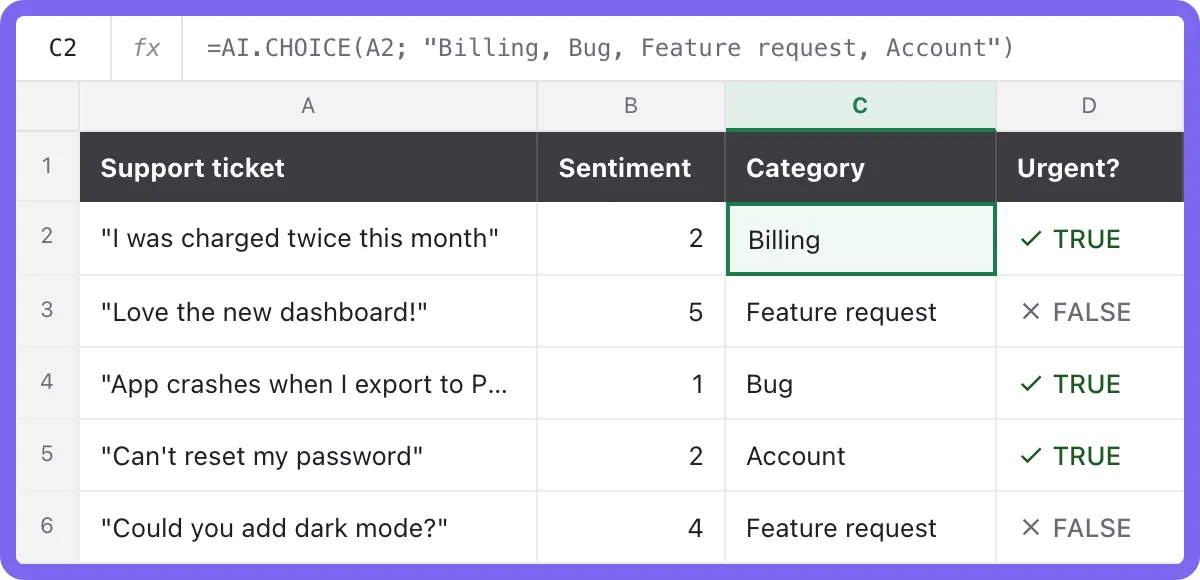
=AI.CHOICE(A2; "Billing, Bug, Feature request, Account")Two more decision formulas are coming soon: AI.SCORE, which rates each row on a scale, and AI.CHECK, which returns TRUE or FALSE. On the Pro and Team plans, you add your own API key to use Jev. See Jev in Excel for the full details, or learn how to use it for sentiment analysis in Excel and to categorize data in Excel.
TwistlyCells is an independent Excel add-in and isn’t affiliated with, sponsored by or endorsed by TypeSafe AI.
Frequently asked questions
Is it free?
No, but it’s cheap. TypeSafe charges $0.042 per million input tokens, and output is free. In TwistlyCells, Jev formulas are included on the Free and Starter plans.
Can Jev replace ChatGPT?
No. It can’t write text. Use it for decisions, and keep chat models for writing and reasoning.
Who makes Jev?
TypeSafe AI, a lab founded by former OpenAI researcher Diogo Almeida.
How do I get access?
TypeSafe is admitting developers from a waitlist during early access. In Excel, you can use Jev through TwistlyCells without a TypeSafe account on the Free and Starter plans.